At a glance
| Context | The final performance of an engineering camp for high-school students |
| People | ~150 participants (builders and audience) · 1 operator at the control console |
| What I made | Enclosure, circuit, firmware, control console, phone control page, and the workshop |
| Outcome | Participants built their own light sticks and used them in the camp’s final show |
Design question
A single light stick can’t do much. But when hundreds of them respond together, an audience becomes part of the show. I wanted to know:
How can people with no electronics background build their own networked light stick — and how can those sticks work both as one synchronized crowd and as personal objects people control themselves?
This led to two groups of users with different needs:
- Participants build the stick in a workshop and hold it during the show. They need something they can assemble in a few hours, that feels like a real product, and that still does something when the show isn’t running.
- The operator runs the show from a laptop. They need to change the whole audience at once, trust that every stick follows, and never show the audience a half-finished effect.
Design goals
- Buildable by beginners — few parts, a case that opens easily, steps that fit into one workshop.
- Works with or without a show — sticks should never become dead plastic when the operator is offline.
- One crowd, many groups — the operator can light different sections of the audience differently, and they all switch at the same moment.
- Operator confidence — preview changes privately, then send them to everyone at once.
The light stick
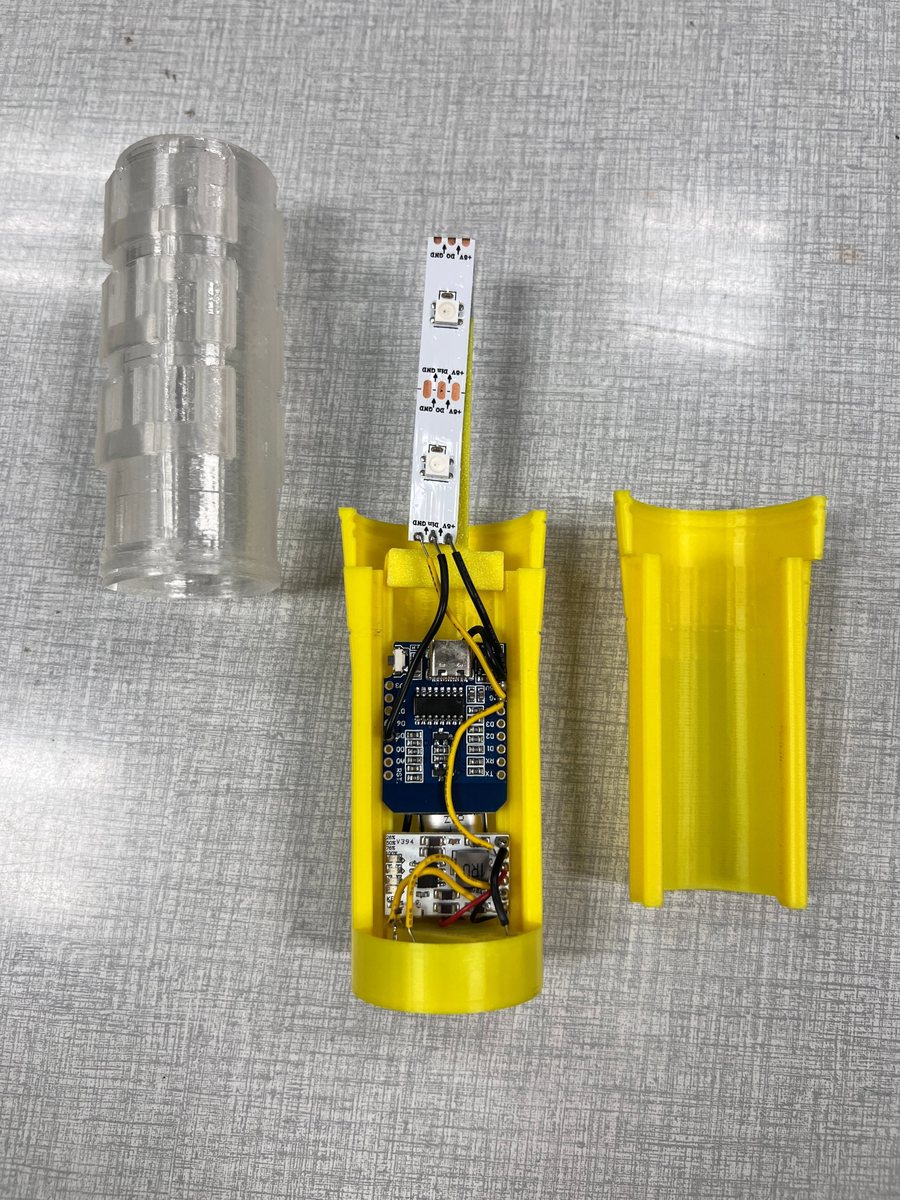
- Electronics: an ESP8266 board, 4 WS2812B addressable LEDs, a 3.7 V 800 mAh LiPo battery, and a charging module — rechargeable and fully self-contained.
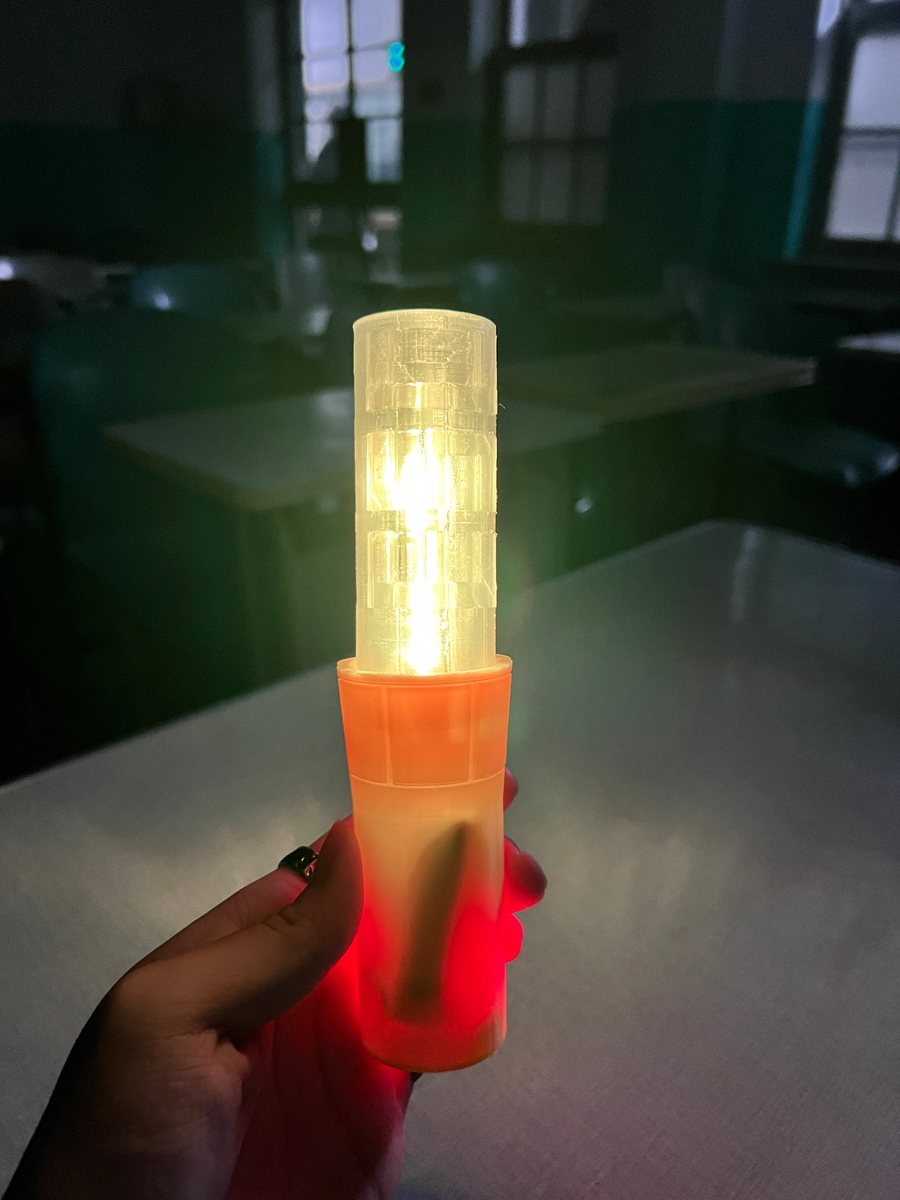
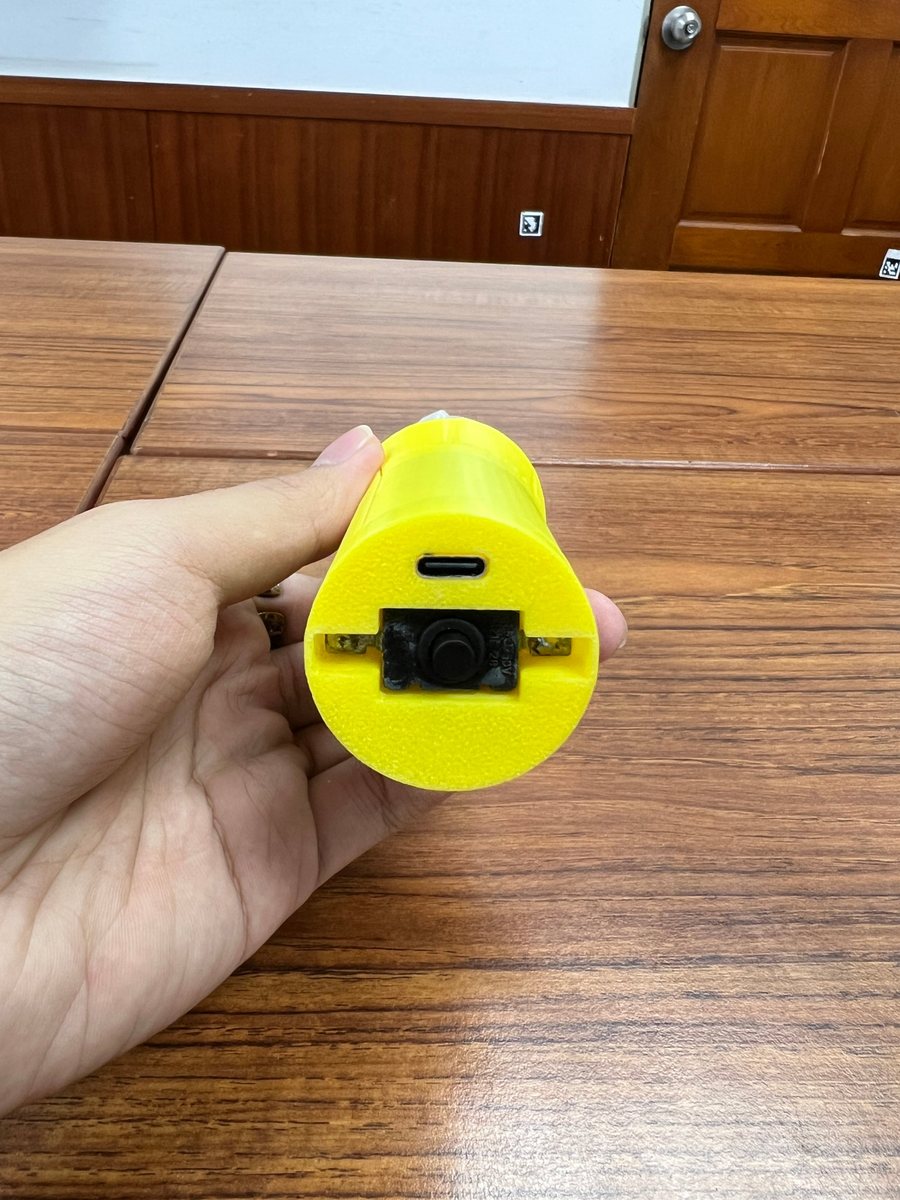
- Enclosure (SolidWorks, 3D-printed), shaped after commercial light sticks with three changes for builders:
- switch and charging port at the bottom, so the stick looks clean and isn’t switched off by accident;
- a sliding shell that opens without tools, for assembly and repairs;
- a screw-on diffuser, assembled and removed by hand.
Two ways to control it
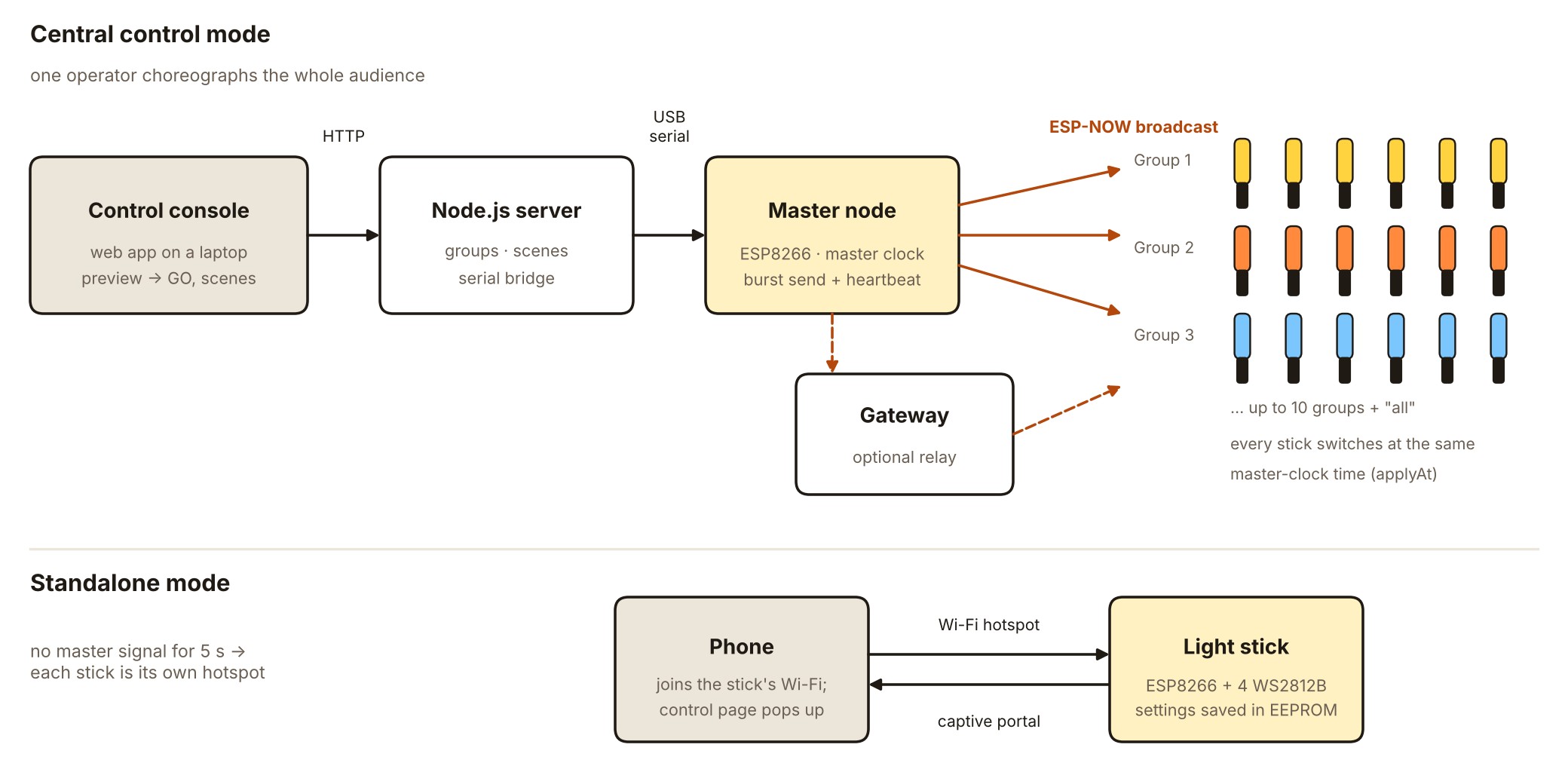
Central control: one operator, the whole audience
The operator uses a web console on a laptop. A Node.js server passes commands over USB to a master node, which broadcasts them with ESP-NOW — a connectionless Wi-Fi protocol that needs no router, so hundreds of sticks can listen at once. Optional gateway nodes repeat the signal for larger rooms.
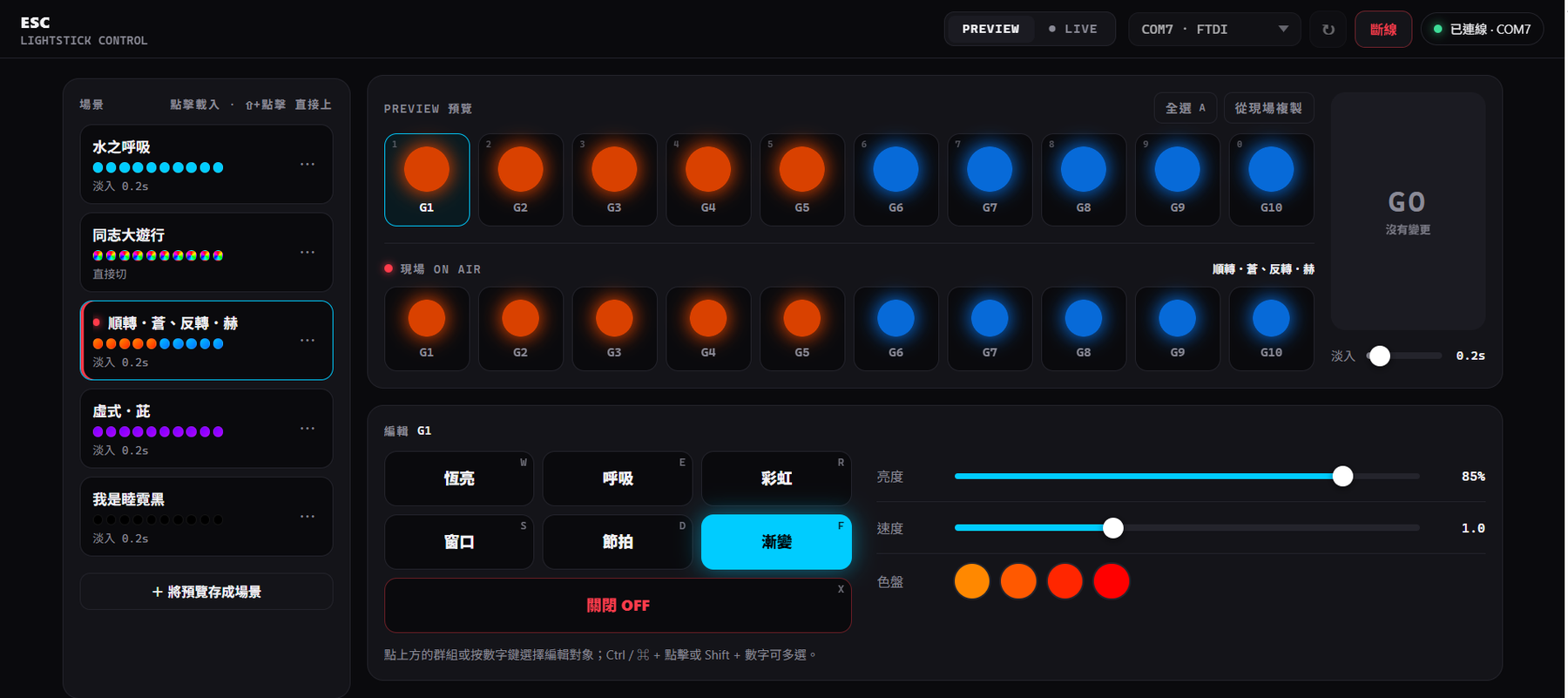
- 10 groups + “all”. Each stick belongs to a group (set from its phone page), so different sections of the audience can show different colors.
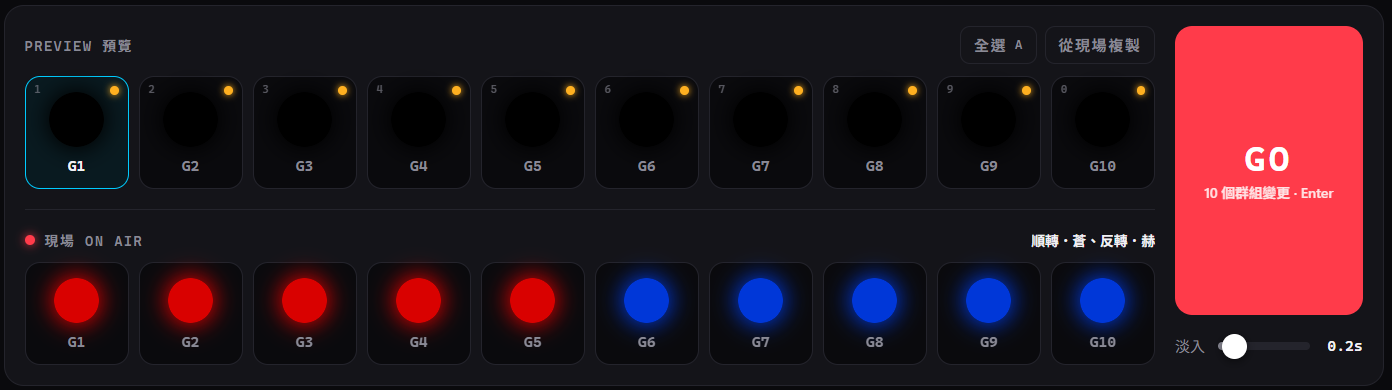
- Preview → GO. Changes are tried out in a preview area that the audience never sees; pressing GO sends all groups at once. A LIVE switch skips the preview when the operator wants to follow the music by hand.
- Scenes and fades. The state of all 10 groups can be saved as a scene and recalled with one click, with a 0–3 s cross-fade.
- Six effects — steady, breathing, rainbow, window, beat, and gradient — tuned with speed, spread, duty, BPM (including tap-tempo), and a four-color palette.
Standalone: the stick is yours
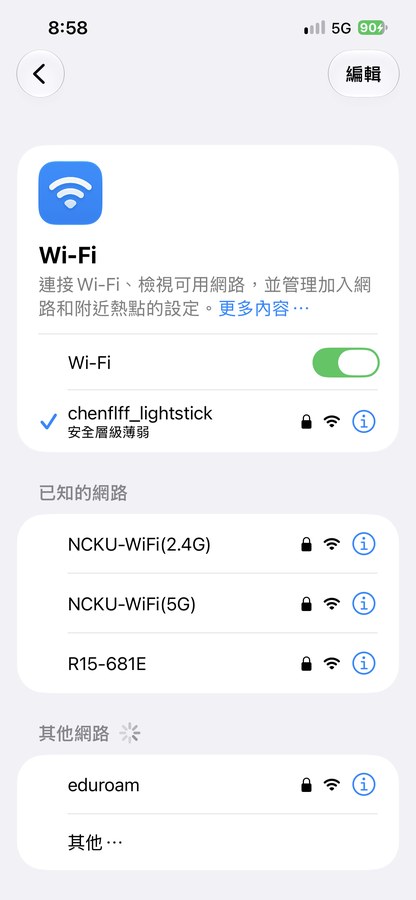
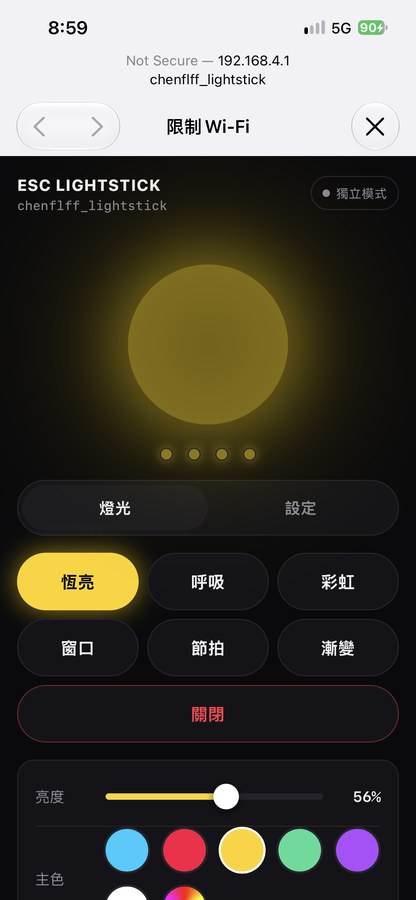
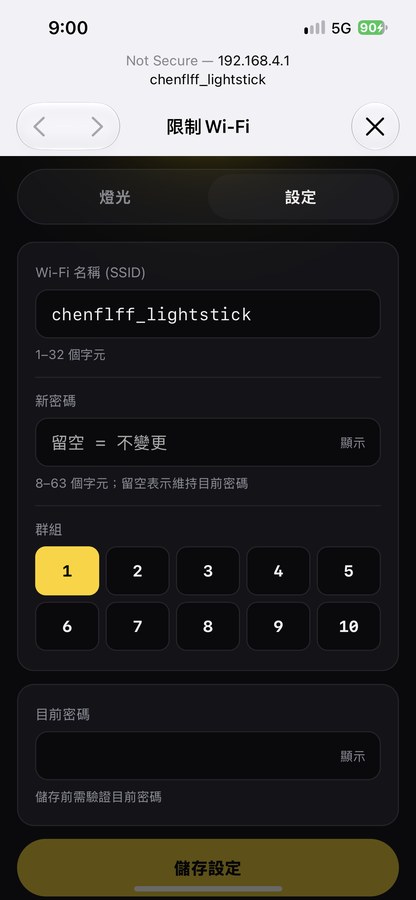
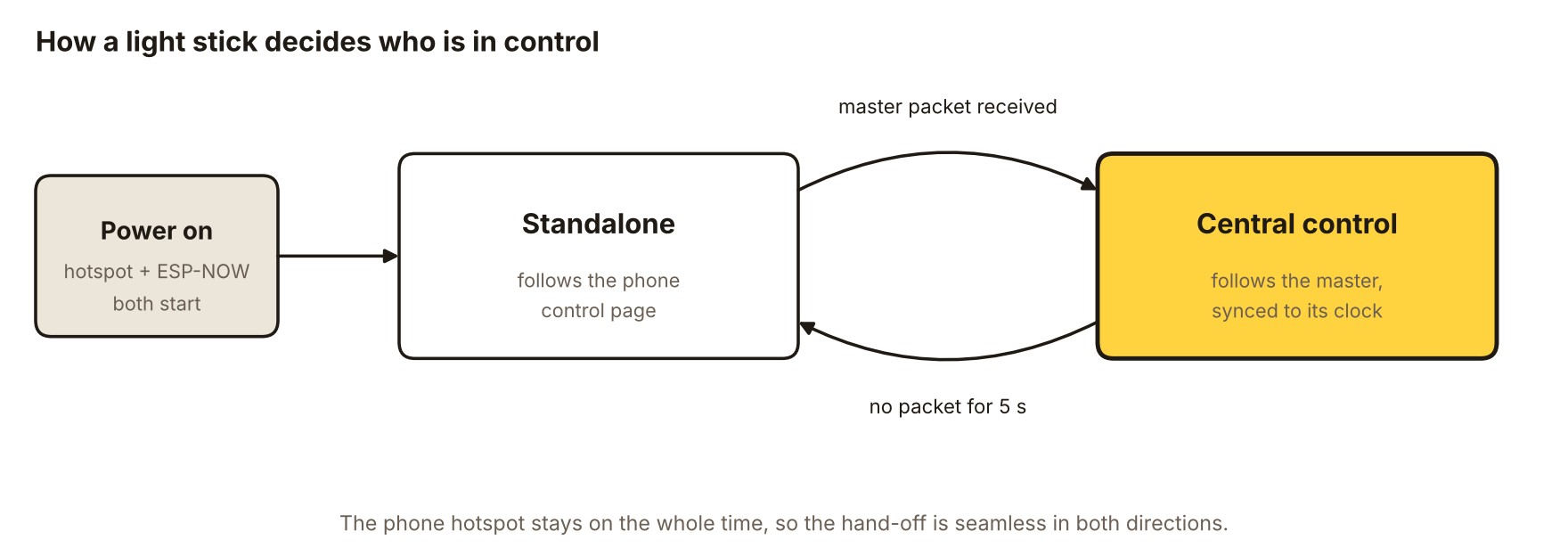
If a stick hears nothing from the master for 5 seconds, it follows its own phone page instead. Every stick runs its own Wi-Fi hotspot with a captive portal: join the network and the control page pops up — no app, no typing an address. The page previews the four LEDs live, and lets the owner rename the hotspot, set a password, and choose a group; settings are saved and survive a restart.
Keeping hundreds of sticks in sync
Wi-Fi in a room full of people is unreliable, so the protocol is designed to tolerate lost packets:
- Burst sending and heartbeats. The master sends each command several times, and every 0.5 s re-sends the current state of one group in turn — so a stick that missed a packet, or was switched on mid-show, catches up within seconds.
- A shared clock. Every packet carries the master’s time, and each stick corrects its own clock, so breathing and beat effects stay in phase across the room.
- Switch at the same moment. Packets include an apply-at time, so all groups change together instead of one after another.
- Duplicate filtering. Gateways ignore packets they have already repeated, with a random back-off to avoid collisions.
Teaching it: a 6-hour workshop for 150 students
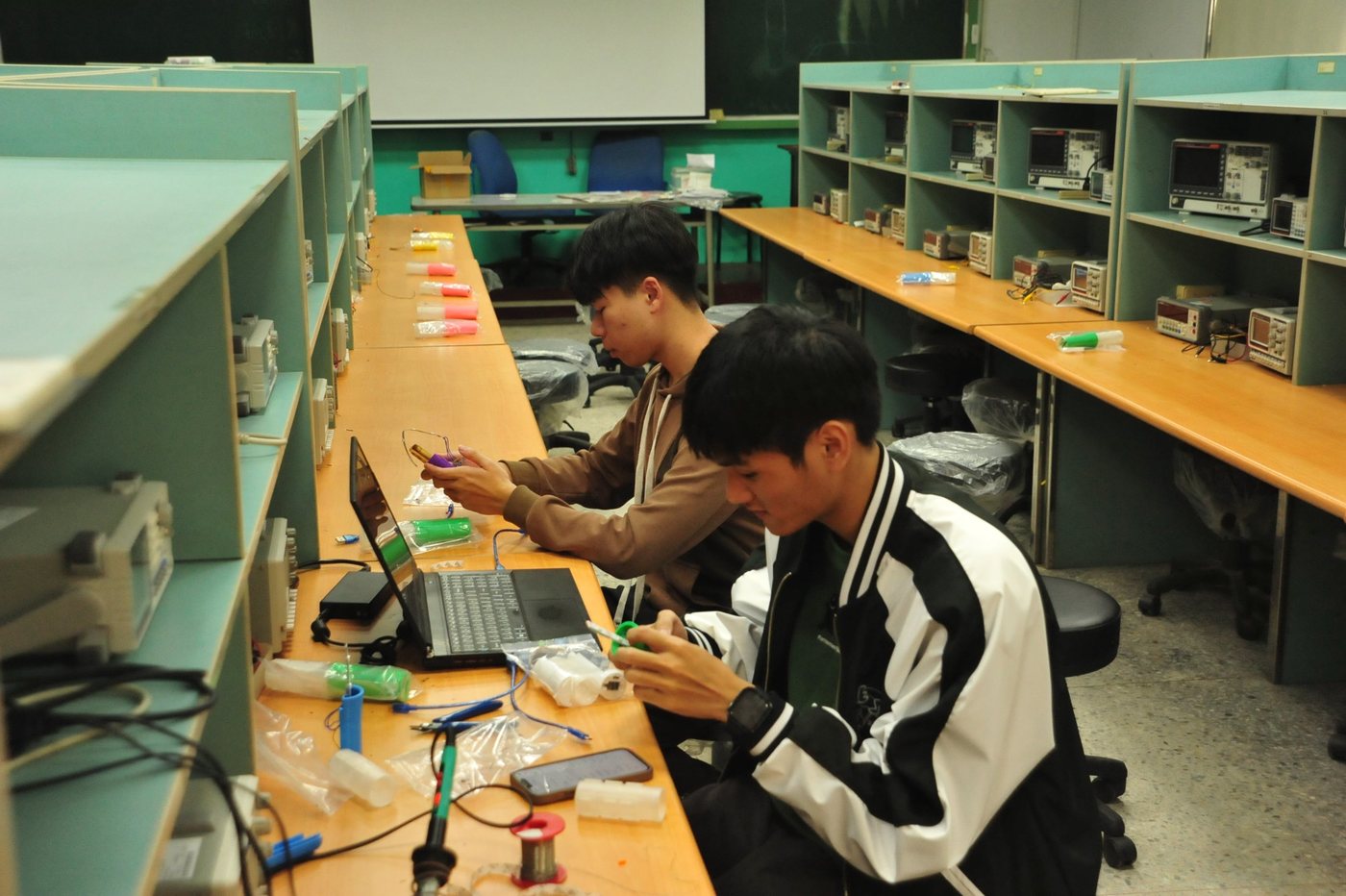
As course director of the camp, I turned the design into a workshop that students with no electronics background could follow:
- Circuits — what each part does
- Programming — flashing the firmware
- SolidWorks — how the enclosure was designed
- Soldering — wiring their own stick
- Testing
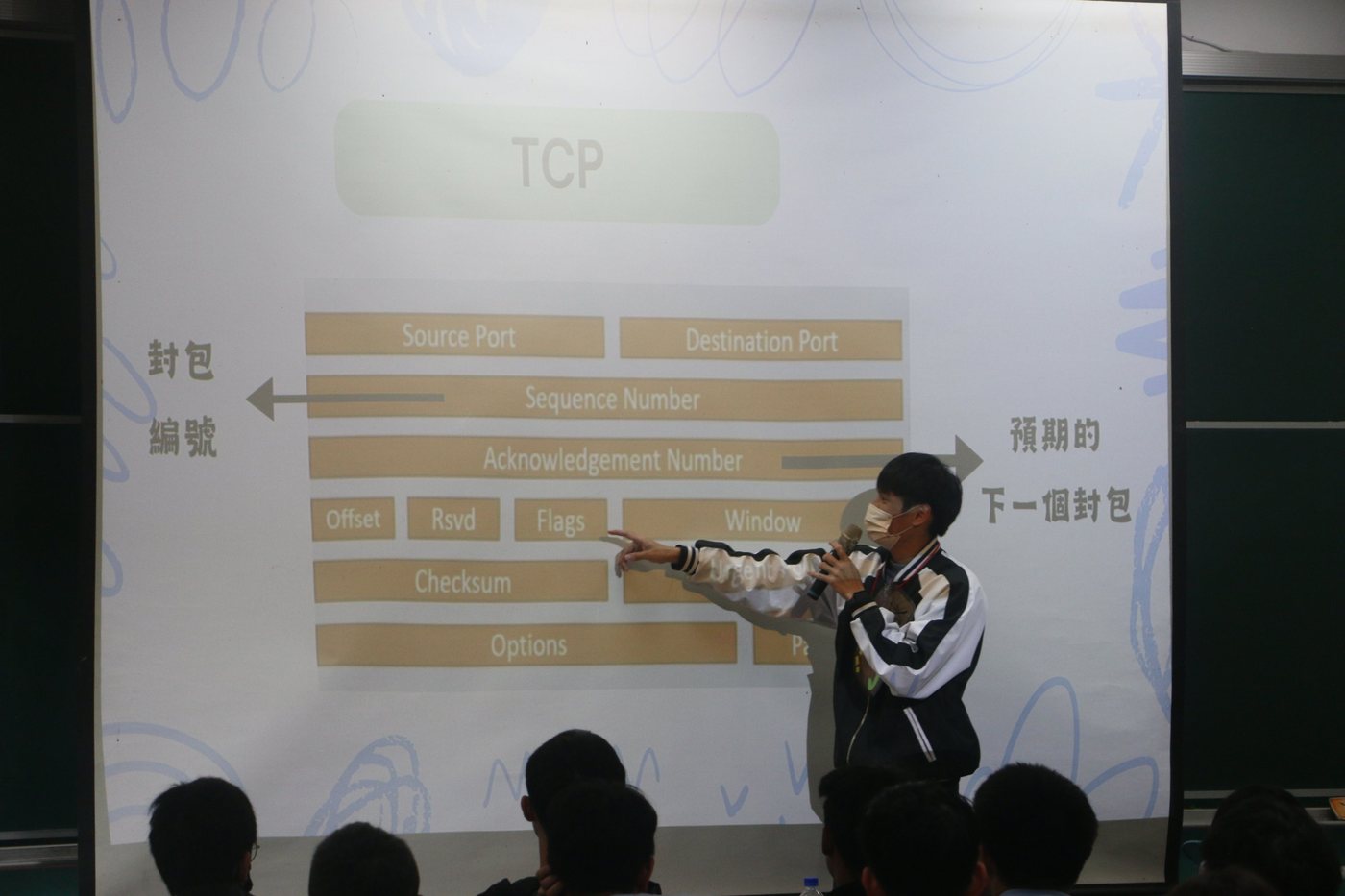
- Wireless communication — how one console can reach every stick
Designing the course meant breaking every step down and predicting where students would get stuck — soldering and flashing the board were the usual trouble spots.
In the show
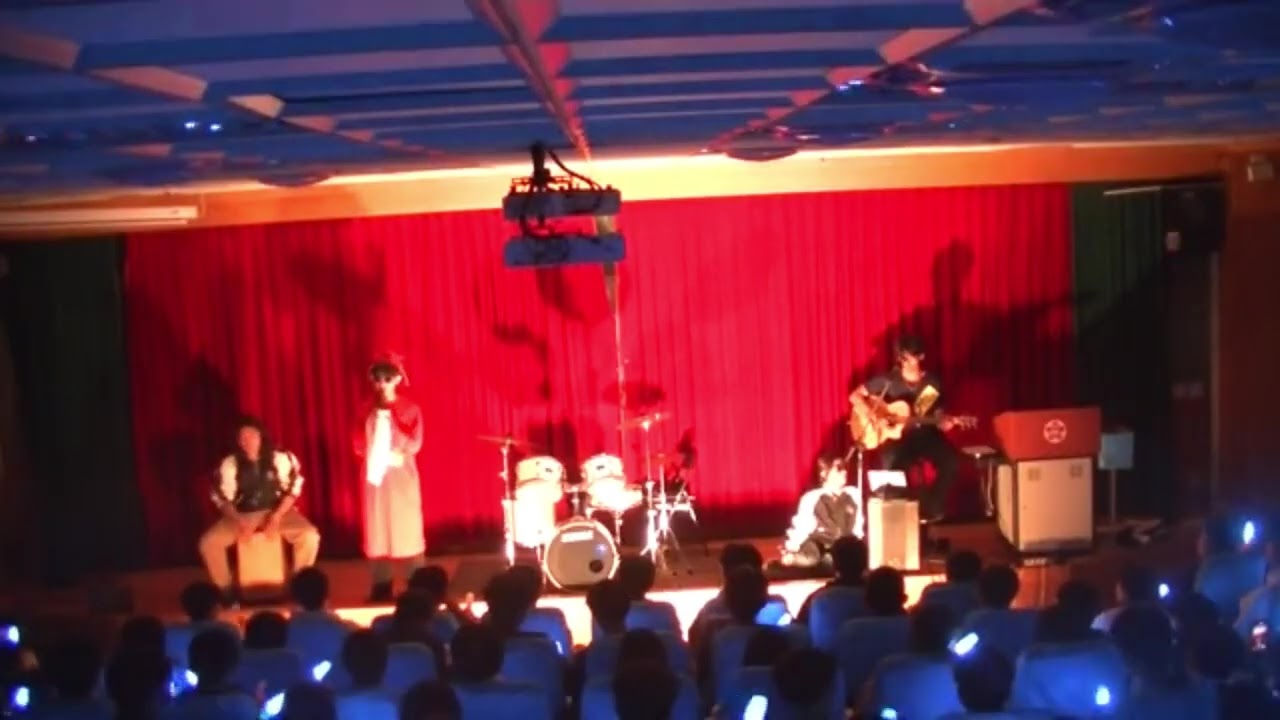
At the camp’s final performance, participants held the light sticks they had built, and the hall lit up with them.
What I learned
This was the first project I took from idea to something people actually used — enclosure, circuit, and code all at once — and it taught me to debug hardware and software step by step instead of giving up. Being course director taught me something more important: good technology isn’t just something you can build, it’s something other people can understand and use. Watching 150 students build and wave their own sticks is what made me curious about human–computer interaction — after making something, I want to know how it feels to use it.